|
Install SWAT
|
| Install SWAT to configure Samba from Web browser.
|
|
| [1] | Install xinetd first because it's needed. |
|
[root@lan ~]# yum -y install xinetd [root@lan ~]# /etc/rc.d/init.d/xinetd start Starting xinetd: [ OK ] [root@lan ~]# chkconfig xinetd on
|
| [2] | Install SWAT |
|
[root@lan ~]# yum -y install samba-swat [root@lan ~]# vi /etc/xinetd.d/swat # line 10: add IPs you permit only_from = 127.0.0.1 10.0.0.0/24 # line 14: change disable = no [root@lan ~]# /etc/rc.d/init.d/xinetd restart Stopping xinetd: [ OK ] Starting xinetd: [ OK ]
|
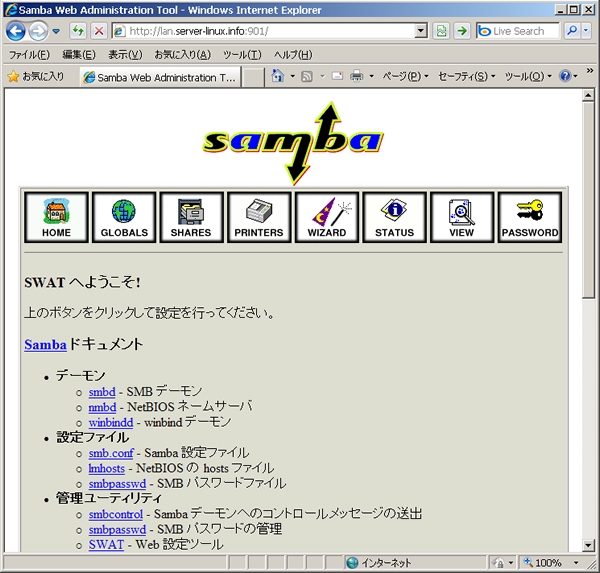
| [3] | Access to [http://(server's hostname):901]. After accessing, user name and password is required to login. Input for root's one in it and login, then following screen is shown and you can configure samba on browser. |
|